
Works on My Machine, Why That Sentence Cost the Industry Billions
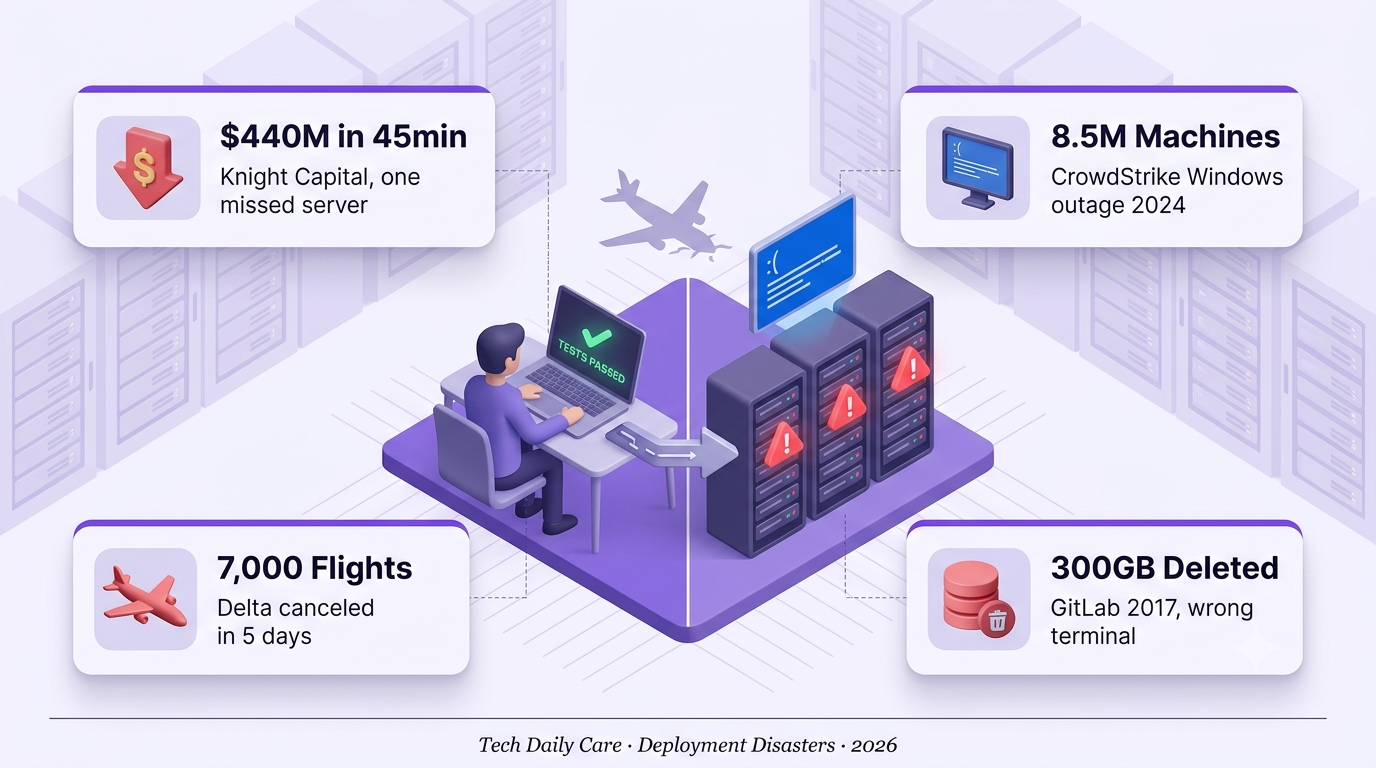
Knight Capital lost $440M in 45 minutes over one missed server. CrowdStrike took down 8.5 million Windows machines with a bad update. The deployment gap is where fortunes still burn.
The most expensive four words in software engineering are “works on my machine.” They’re the shrug that closes tickets nobody wants to look at, the excuse before a stand-up, and the exact sentence that has cost the industry more money than any single class of security vulnerability. Knight Capital said it — and lost $440 million in 45 minutes on August 1, 2012, over one server that didn’t receive the new deployment.
CrowdStrike said it, functionally, on July 19, 2024. A Falcon sensor configuration file that passed internal review crashed 8.5 million Windows systems around the world simultaneously. Delta canceled 7,000 flights in five days, stranded 1.3 million passengers, and now claims $500 million in losses. Insurance analysts pegged total Fortune 500 direct losses at $5.4 billion. It is officially the largest IT outage in history.
The pattern behind these disasters is not exotic. It’s the same failure mode developers hit on a Tuesday afternoon when a feature that passed all local tests explodes in staging: the environment where code runs in production is meaningfully different from the environment where it was written and tested. This piece walks through the real disasters, the specific gaps that caused them, and what modern deployment practice actually does about it — beyond the “Docker fixes everything” hand-waving.
Environment Divergence
Dev on Python 3.11, prod on 3.9. Dev on Ubuntu, prod on Alpine. A dozen small differences compound into a single deployment that behaves differently everywhere it lands.
The Test Data Was Wrong
Local tests run on 1,000 clean rows. Production has 40 million rows with 15 years of edge cases, encoding issues, and rows nobody remembers creating.
Different Servers, Different States
Knight Capital’s 2012 disaster: 8 SMARS servers, 7 updated, 1 forgotten. The forgotten server activated a dormant flag from 2003 and burned $440M in 45 minutes.
Prod Traffic Behaves Differently
Load-testing at 100 requests per second doesn’t tell you what happens at 100,000 with concurrent DB writes, memory pressure, and a slow downstream API on the same day.
Three Cases Where “Works on My Machine” Cost Real Money
Knight Capital 2012, One Missed Server, $440 Million Gone
SEC Case StudyOn July 31, 2012, Knight Capital engineers manually deployed new SMARS trading code to eight production servers ahead of the NYSE’s new Retail Liquidity Program launch. One of the eight servers didn’t receive the update. The forgotten server retained a code path called Power Peg, a feature that had been deprecated since 2003 but never removed. A flag reused in the new code accidentally re-activated it on the unpatched server.
At 9:30 AM EST on August 1, the NYSE opened. Order flow hit all eight servers simultaneously. The seven updated servers behaved correctly. The eighth started buying high and selling low, executing 4 million trades across 154 stocks in 45 minutes. By the time engineers manually shut down the rogue server at 10:15 AM, Knight had accumulated $7 billion in unwanted positions and lost $440 million — more than the firm’s entire net capital of $365 million. Knight was acquired by Getco within four months. The name effectively disappeared from Wall Street by 2017.
CrowdStrike July 2024, One Config File, 8.5 Million Machines Down
Largest IT Outage EverAt around 04:09 UTC on July 19, 2024, CrowdStrike pushed a channel file update to its Falcon endpoint sensor. The file contained a memory access error that triggered a kernel-level crash on every Windows machine running Falcon. Within hours, 8.5 million Windows systems worldwide were stuck in a boot loop, showing the blue screen of death. Airlines grounded fleets. Hospitals postponed surgeries. Retailers went cash-only. TV stations went dark.
Delta Air Lines, deeply dependent on both CrowdStrike and Windows, canceled 7,000 flights over five days and stranded 1.3 million passengers. Delta CEO Ed Bastian told CNBC the incident cost the airline $500 million and required manually resetting 40,000 servers. Insurers estimated Fortune 500 direct losses at $5.4 billion. Delta sued CrowdStrike for $500 million in October 2024, alleging “untested and faulty updates.” CrowdStrike countersued, blaming Delta’s own recovery response. The case is ongoing.
GitLab 2017, One Wrong Terminal Window, 6 Hours of Data Gone
PostmortemOn January 31, 2017, a GitLab engineer trying to debug a database replication issue accidentally ran rm -rf on the production database instead of the secondary. The command deleted approximately 300GB of production PostgreSQL data before it could be aborted. What followed was a live-broadcast recovery attempt that GitLab streamed on YouTube for transparency — and revealed that five different backup mechanisms had all silently failed for various reasons over the preceding weeks.
The company recovered from a six-hour-old snapshot, losing all data from about 5,000 users, projects, and merge requests created in that window. GitLab published a detailed postmortem that became a cultural touchstone in the SRE community: every backup you don’t regularly test is not a backup — it’s a hope. The engineer was famously not fired; GitLab publicly emphasized that human error is a system design problem, not an individual one.
You can’t come into a mission-critical operation and tell us you have a bug. You’ve got to test the stuff.
Beyond “Works on My Machine”, What Modern Deployment Actually Requires
Containers Solve the Environment Problem — If You Actually Use Them
FoundationDocker and OCI-compatible containers eliminate most of the runtime drift problem by shipping the code and the environment together. Same base image on dev laptop, CI runner, staging, and production. That works if — and only if — the container is the actual unit of deployment. Teams that ship containers but still SSH into production to tweak files, install packages, or edit configs recreate the drift problem inside the container runtime.
Infrastructure as Code Fixes the “Different Servers” Problem
ConsistencyTerraform, Pulumi, AWS CDK, and equivalent tools define infrastructure declaratively in version-controlled code. The Knight Capital failure — 8 servers, 7 updated, 1 not — is architecturally impossible if you’re using IaC and applying it through a single pipeline. Every environment is created from the same source of truth, and drift between environments becomes a detectable, alertable event rather than a lurking time bomb.
Staged Rollouts, Canaries, and Feature Flags Prevent Big-Bang Failures
Blast RadiusDeploying a change to 100% of users at once is how CrowdStrike took down 8.5 million machines simultaneously. Deploying the same change to 1% of a randomized cohort, watching error rates for an hour, then rolling to 10%, then 50%, then 100% is how modern high-scale services actually ship. Feature flags let engineers ship code dark, test it in production with internal users only, and expose it to real users only after live-fire validation. The blast radius of a bad deploy is a function of your rollout strategy, not the change size.
Automated Testing Only Catches What You Test For
Necessary, Not SufficientUnit tests catch logic errors. Integration tests catch component interactions. Neither catches the production data edge case that only appears at scale, the slow memory leak that only manifests after 72 hours, or the timezone bug that only fires during DST transitions. High-performing teams supplement tests with property-based fuzzing, chaos engineering, load tests against production-shaped data, and shadow traffic — real production requests replayed against a new build to catch behavior differences before the new build serves anyone.
Observability Turns “It’s Broken” Into “Here’s Exactly What’s Broken”
RecoveryThe 30 minutes between “something’s wrong” and “we know what’s wrong” is where deploy disasters compound. Modern observability — structured logs (Datadog, Splunk), distributed tracing (OpenTelemetry, Jaeger), and metrics (Prometheus, Grafana) — lets on-call engineers see exactly which service, which endpoint, and which version started degrading. It’s the difference between Knight Capital’s 45-minute manual triage and a modern SRE noticing a 2% error rate spike in a specific canary within seconds.
Every backup you don’t regularly test is not a backup — it’s a hope. GitLab learned this the hard way, on YouTube, in real time.
- Container image is immutable and versioned — no runtime patches, no “quick edits.”
- Infrastructure change goes through IaC pipeline — no manual SSH modifications, ever.
- Feature flag guards the new behavior — you should be able to disable it in seconds without a redeploy.
- Canary rollout plan defined — 1% → 10% → 50% → 100% with defined observation windows between steps.
- Rollback tested this quarter — not “we could roll back,” but “we have rolled back and verified the process works.”
- Backups verified within 30 days — restored to a scratch environment and confirmed complete.
- Automated alarm for error rate, latency, and traffic drop — with defined thresholds for automatic rollback.
- Dead code and dormant features removed — Knight Capital’s Power Peg had been unused for 9 years when it burned the company down.
⚠️ Patterns That Predict a “Works on My Machine” Disaster
1. Manual deployments — if humans copy files to servers, some servers will be missed. Knight Capital proved this in 45 minutes.
2. Dead code left in production — feature flags that haven’t been flipped in years, deprecated code paths nobody remembers. All time bombs.
3. “We’ll test it in production” — the CrowdStrike root cause. Config changes that skipped representative testing environments.
4. Untested backups — GitLab had five backup mechanisms and all of them failed. Discovered the day they needed them.
5. No canary rollout — full-percentage deploys are how one bad change reaches 8.5 million machines simultaneously.
6. Environment drift over time — production servers manually modified over months. Each drift is a future incident waiting for its trigger.