
Office 2021 End of Support Oct 13, What Happens Next
Microsoft says there is no extension and no paid safety net. Here’s what stops, what keeps working, and what each fix costs in US dollars.
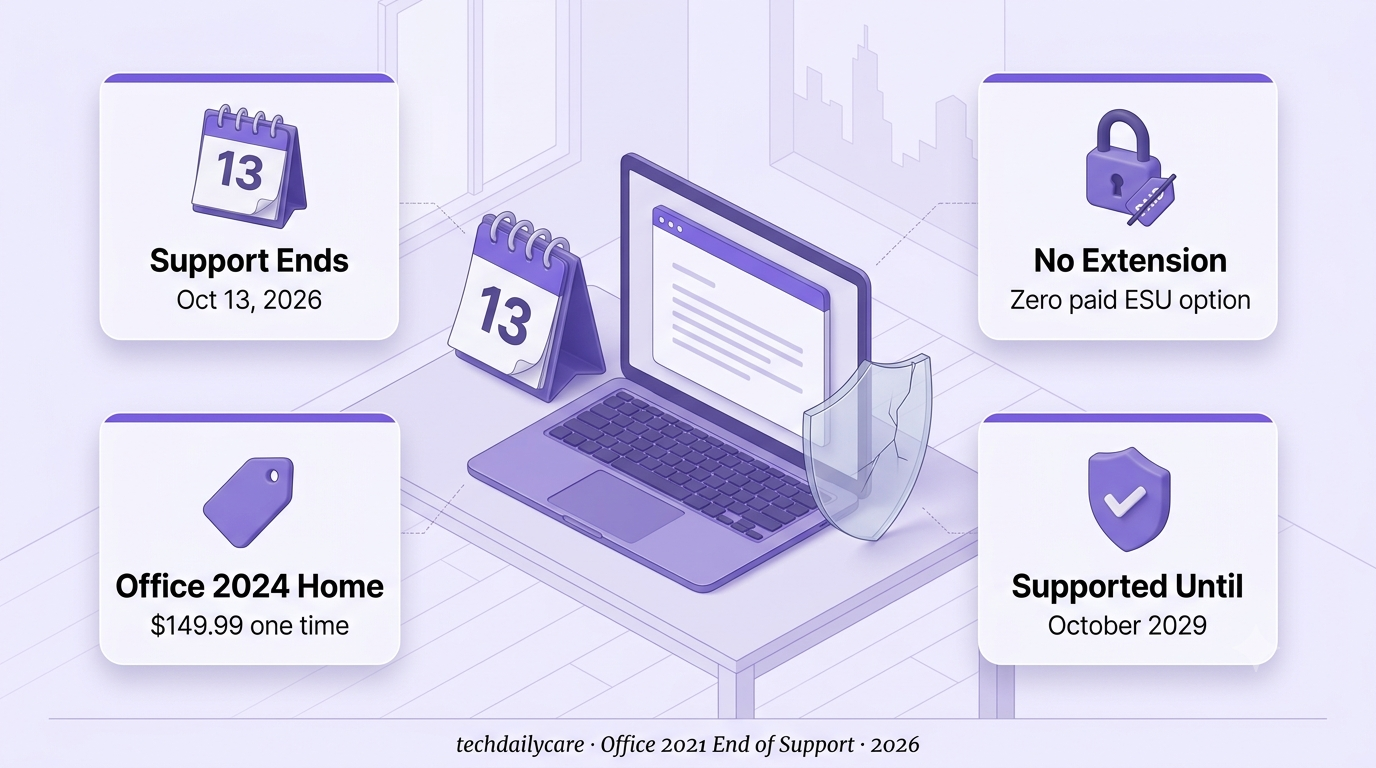
Office 2021 end of support lands on Tuesday, October 13, 2026. From that day, Microsoft stops shipping security fixes for the suite.
Microsoft’s own support page is direct about the safety net. There will be no extension, and unlike Windows 10, no Extended Security Update program at all.
Your apps will not stop working. Word, Excel and PowerPoint will still open the day after. That is why this deadline gets ignored.
What changes is quieter. Flaws found after the cutoff stay open, because no one is left to patch them, as Office Watch’s coverage puts it.
This is a repeat. Heise reported that Microsoft ended Office 2016 and 2019 support in October 2025, and Office 2021 follows a year later.
Below: what stops, what the risk looks like, what each path costs in US dollars, and a short checklist.
Microsoft’s notice names Office Home & Student 2021 and Office Home & Business 2021 as the home editions. Home users can keep using them, but Microsoft recommends upgrading.
Washington State University’s IT notice lists Office LTSC 2021, the volume-licensed edition, on the same date. Licensing firms say Project 2021 and Visio 2021 follow it too.
Pay for Microsoft 365? You are on a continuously updated version, not Office 2021, so this deadline doesn’t apply to you.
Security fixes
Microsoft won’t fix vulnerabilities reported or discovered after October 13, 2026.
Updates and bug fixes
Microsoft Update will no longer deliver Office 2021 updates or bug fixes.
Phone and chat support
Technical support ends, and most online help content will be retired.
The apps themselves
Microsoft says Office 2021 apps continue to function. The warning is about security risk, not features.
Nothing breaks overnight. Microsoft warns of serious and potentially harmful security risks, and Office Watch says the exposure grows with each month that passes.
EndOfLife.ai’s tracker explains why. Office files and email attachments are a common way attackers get into a PC, and every parsing flaw found after support ends stays unpatched.
So the question isn’t whether Office 2021 opens a file. It’s whether the next flaw in how it opens one gets fixed. After October 13, it won’t.
“Still works” and “still safe”
stopped meaning the same thing
Heise’s report on the Office deadline described October 13 as also the end of Windows 10’s one-year consumer ESU. That is no longer true.
BleepingComputer reported that Microsoft updated its Windows 10 ESU documentation on June 25, 2026, extending consumer coverage to October 12, 2027.
Office got no equivalent. Microsoft’s Office 2021 page still says no extension and no ESU, so plan around October 13.
Microsoft 365 includes continuous updates, 1TB of OneDrive storage per person, and some Copilot AI features, according to Office Watch.
Office 2024 is a one-time license for one PC or Mac with no cloud features, Copilot included. Its support ends in October 2029, about three years from now.
That makes the real comparison about time. Three years of coverage costs less with Office Home 2024. After that, you face this decision again.
Check which Office you actually have
Start hereOpen Word, go to File, then Account. If it shows Office 2021 or another one-time edition, this deadline applies to you.
If IT manages your PC at work or school, don’t uninstall anything. Microsoft says upgrade options depend on whether IT manages your copy, so ask your admin first.
Light user? Try the free web apps first
$0Office Watch says the browser versions of Word, Excel and PowerPoint cover modest needs, and Windows 11 users can also use the new Outlook.
LibreOffice and Google Docs are other free options, though compatibility with complex Office files can vary.
Need desktop apps? Buy once or subscribe
PaidOffice Home 2024 costs $149.99 and covers Word, Excel, PowerPoint and OneNote on one PC or Mac. Home & Business adds Outlook for another $100.
Microsoft 365 starts around $100 a year and keeps updating. Pick based on how long you will keep this PC.
Can’t switch yet? Reduce the exposure
Stopgap onlyWindows Latest suggests running Office on a PC that stays offline and being careful with every document you open.
The security firm 0patch says its paid plans will add micropatches for critical Office 2021 flaws found after the cutoff. That is the vendor’s own claim, not a Microsoft program.
- Export .pub files to PDF or Word. Publisher is being retired and isn’t part of Office LTSC 2024.
- List your macros and add-ins, then test them in the new app before removing the old one.
- Open your heaviest file, the biggest spreadsheet or longest document, in the replacement.
- Write down the new end date: October 2029 for Office 2024, ongoing while a Microsoft 365 subscription stays active.
⚠️ Check these before you buy
1. Prices are US list prices as reported by Office Watch. Promotions and regional pricing differ, so confirm on Microsoft’s store before you pay.
2. Dates can move. Microsoft extended Windows 10 consumer ESU in June. Its Office 2021 page says no extension today.
3. Not every edition is spelled out on Microsoft’s page. It names the two home editions. LTSC, Project, Visio and Mac details come from university IT notices and licensing firms, so check Microsoft’s lifecycle page for yours.
4. Third-party patches are a vendor claim. 0patch’s plan is its own promise, not a Microsoft program, so test it before relying on it.
The deadline isn’t the day Office breaks.
It’s the day nobody fixes it.