🎣 Cybersecurity · Updated July 2026
Phishing Attack Prevention Guide, When AI Writes Better Emails Than Humans
Recognize, Avoid & Respond in Time
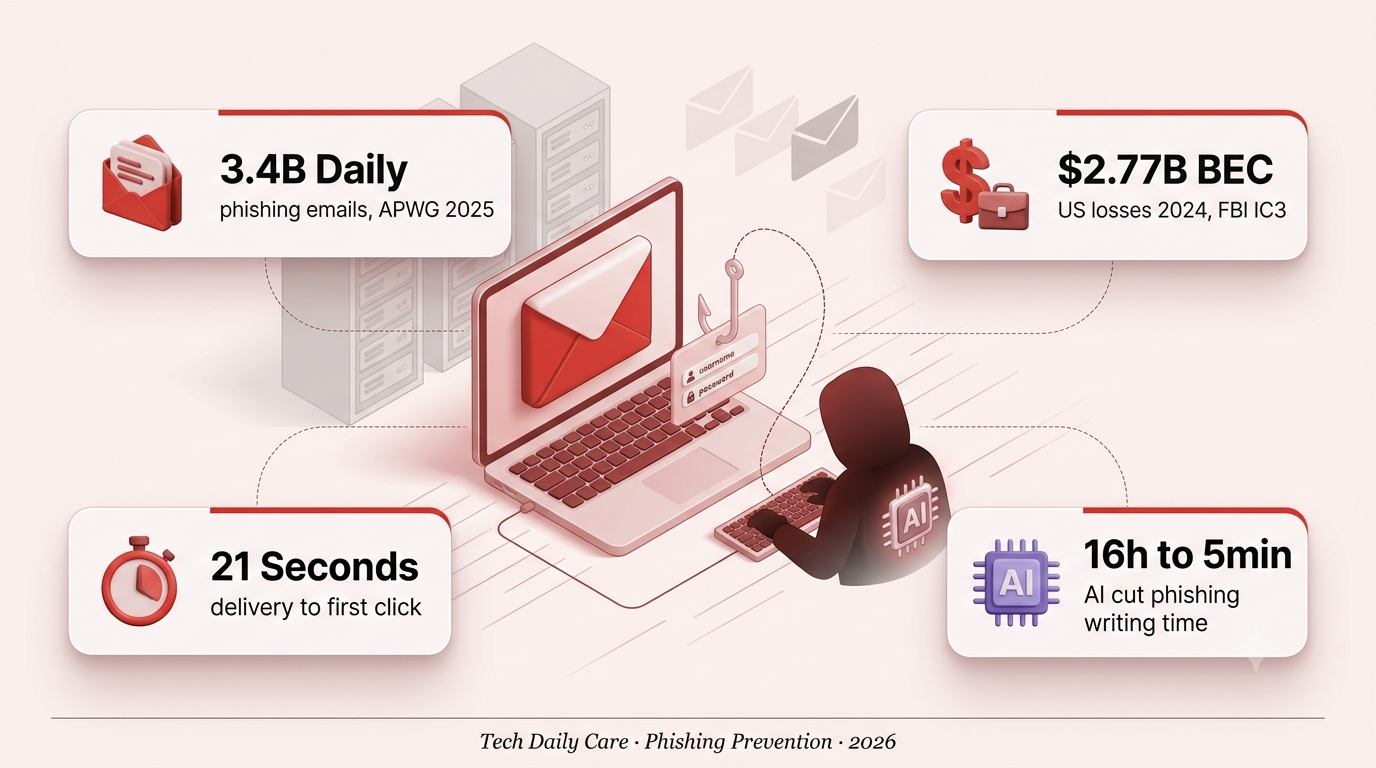
Phishing attack prevention starts with a hard number: 3.4 billion fake emails hit inboxes every single day, according to APWG. In 2026, AI-generated versions of those emails are grammatically perfect and personalized at scale. Here’s how to stay ahead.
📅 Updated July 2026
🔐 Sources: Verizon DBIR, APWG, IBM
⏱ 10 min read
Business Email Compromise, the enterprise flavor of phishing, drained $2.77 billion from US victims in 2024 alone, according to the FBI’s Internet Crime Complaint Center. Verizon’s 2025 Data Breach Investigations Report found that 16% of all breaches now begin with a phishing email, and the human element factors into roughly 60% of every incident logged. Phishing attack prevention isn’t a “nice to have” — it’s the single most effective control against the majority of active threats hitting inboxes in 2026. This guide breaks down the six attack types you’ll actually see, the red flags that still work as detection signals, and the seven concrete defenses that measurably reduce the odds you’ll ever be the entry point.
🎯 The 6 Types of Phishing You’ll See in Phishing Attack Prevention
Not all phishing looks the same. Understanding the different attack types is the first line of defense — each one requires a slightly different level of caution.
🧠 Why Phishing Attack Prevention Is Harder in 2026
Deep Analysis · Sources: Microsoft Digital Defense, Verizon DBIR 2025
Security researchers consistently find that phishing succeeds not because of technical failures, but because of how the human brain works under stress. Attackers deliberately trigger fast, instinctive decision-making that bypasses critical analysis. What has changed in 2026 is the volume and quality of the bait.
Large language models have reduced the time required to write a convincing, culturally-appropriate phishing message from about 16 hours to roughly five minutes, according to research cited in APWG’s Phishing Activity Trends reports. Microsoft’s 2025 Digital Defense Report attributed a 28% year-over-year rise in email-based threats largely to AI-generated content. The era of catching phishing by looking for typos and awkward grammar is effectively over.
The most effective defense is now behavioral: creating a deliberate pause before any action taken in response to an unexpected message. Verizon’s 2025 DBIR also notes an encouraging counter-trend — organizations that invested in regular training saw a 4x improvement in employee phishing reporting rates, turning the workforce into a rapid human sensor network. The goal is no longer preventing every click; it’s shortening the window between the first click and the first alert.
🚩 Red Flags to Spot in Phishing Attack Prevention
Despite how sophisticated attacks have become, phishing still leaves consistent telltale signs. Run through this mental checklist before taking any action on an unexpected message.
paypa1.com, amazon-security.net, fake subdomains. Attackers spend time on lookalike domains that fool a quick glance.
Action. Check the full email address, not just the display name.
“Act within 24 hours or your account is deleted.” Manufactured urgency is the single most common phishing signal.
Action. Slow down — legitimate companies do not threaten you.
The URL doesn’t match the sender’s official domain. On mobile, tap-and-hold to preview instead of tapping.
Action. Hover over the link first — never click blind.
“Dear Customer” or “Dear User” instead of your name. Increasingly rare now that AI-personalized phishing exists.
Action. Suspicious, but not conclusive on its own.
Unexpected Attachments
High.zip, .exe, .docm, .html files you weren’t expecting. HTML attachments are now a major credential-phishing vector.
Action. Never open — contact the sender via phone to verify.
Credential or Payment Request
CriticalAny email asking for a password, one-time code, or payment details is almost certainly hostile.
Action. Legitimate services never ask for this via email.
Mismatched Branding
MediumLogo looks slightly off, colors are slightly wrong, footer template misaligned. AI has closed a lot of this gap.
Action. Compare against the real company’s website.
HTTPS Padlock on Phishing Site
TrickyThe site shows a padlock icon — but the URL is still wrong. Free HTTPS certificates make this trivial for attackers.
Action. HTTPS ≠ legitimate. Always check the full URL.
🛡️ 7 Steps to Phishing Attack Prevention Starting Today
Awareness alone isn’t protection. Here are seven concrete actions — most in under five minutes — that will make you significantly harder to compromise.
STEP 01
Enable Multi-Factor Authentication (MFA)
MFA is the single most effective defense. Even if an attacker steals your password, they can’t get in without the second factor. Use an authenticator app or a passkey instead of SMS — SMS is vulnerable to SIM swapping. Verizon’s 2025 DBIR flags phishing-resistant, device-bound MFA as the priority upgrade.
STEP 02
Use a Password Manager (or Passkeys)
Password managers auto-fill credentials only on the correct domain. If you land on a phishing site, your manager won’t fill in your password because the domain doesn’t match. Passkeys go further — they’re phishing-resistant by design and 3x faster than passwords at login.
STEP 03
Verify Unexpected Requests Out-of-Band
If your “CEO” emails asking you to wire funds, call them directly on a number you already know — never one from the email. This one habit stops nearly all Business Email Compromise attacks, which cost US victims $2.77 billion in 2024 alone according to the FBI IC3.
STEP 04
Keep Everything Updated
Phishing sites frequently exploit outdated browser and OS vulnerabilities. Enable automatic updates on your operating system, browser, and security software. Verizon’s 2025 DBIR notes that vulnerability exploitation has now overtaken phishing as the second-most common breach vector, so patching matters more than ever.
STEP 05
Install Anti-Phishing Browser Protection
Tools like Microsoft Defender SmartScreen and Bitdefender TrafficLight scan every link in real time. They act as a safety net for the moments when your guard is down. The average phishing site lasts only 12 hours before takedown (BlackBerry), which means real-time protection matters more than static blocklists.
STEP 06
Train Your Team Regularly
For businesses: run simulated phishing exercises quarterly. Verizon’s 2025 DBIR found that organizations with regular training saw a 4x improvement in employee reporting rates. Post-training, phishing susceptibility drops under 5% according to KnowBe4 benchmarks. Make security training part of onboarding.
STEP 07
Report Every Phishing Attempt
Use your email client’s “Report Phishing” button. Forward suspicious emails to reportphishing@apwg.org. If it impersonates a specific company, report it to their security team. The median time to report a phishing email is 28 minutes — closing that gap protects everyone downstream.
Frequently Asked Questions
What should I do immediately if I’ve already clicked a phishing link?
Act fast. Disconnect from the internet immediately to prevent malware from communicating outward. Change your passwords for any accounts you may have accessed on that device — starting with email and banking. Enable MFA if you haven’t already. Run a full antivirus scan. Contact your bank if any financial information was potentially exposed, and report the incident to your IT department if this happened on a work device. Verizon’s 2025 DBIR notes the median click-to-report gap is 28 minutes — every minute you shave off matters.
Can phishing happen on mobile devices and apps, not just email?
Yes, and it’s growing fast. Smishing (SMS phishing) and QR-code phishing scaled to over 3 million blocked attempts per day at their 2025 peak. WhatsApp, Facebook Messenger, and LinkedIn are also frequently used channels for spear phishing. The rules are identical: never click links in unexpected messages, and verify through official channels before taking any action.
Is a website safe just because it shows a padlock (HTTPS)?
No — this is one of the most dangerous misconceptions in online security. HTTPS only means the connection between your browser and the server is encrypted. It says nothing about whether the site itself is legitimate. Free HTTPS certificates have made it trivial for phishing sites to display a padlock. Always verify the full domain name in the address bar, not just the padlock. If you didn’t navigate there yourself, be skeptical.
Are small businesses really targeted by phishing, or is it mostly large companies?
Small businesses are disproportionately targeted. Verizon’s 2025 DBIR and multiple industry reports consistently show SMBs bearing a heavy share of attacks, precisely because they often lack dedicated IT security resources. Attackers know a small business owner may have access to significant funds with far less protection than a Fortune 500 company. Employee training, MFA, and a solid email filtering solution are essential regardless of company size.