
Why Free VPNs Are Selling Your Data Right Now
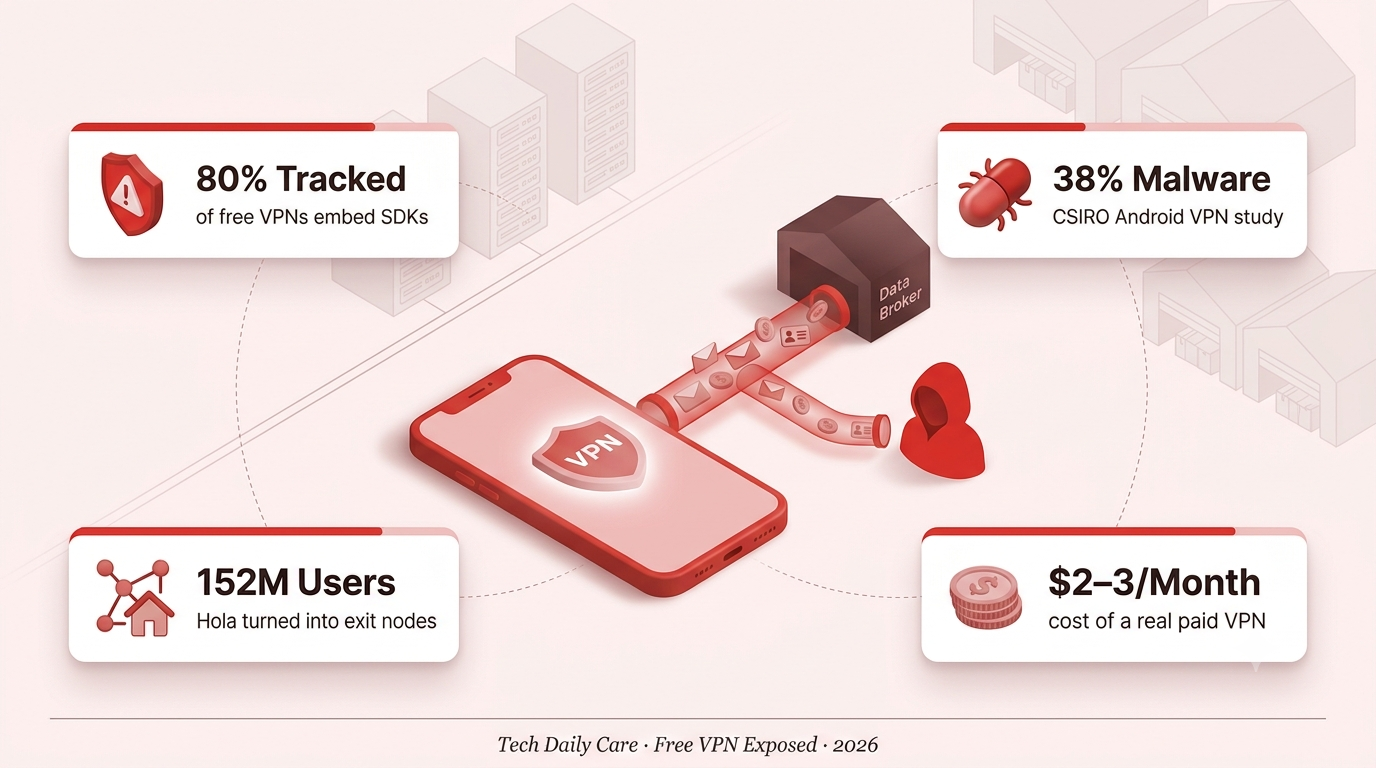
80% of free VPNs have tracking. 38% contain malware. One turned 152 million users into a commercial botnet. Here’s the exact revenue model.
You downloaded a free VPN to watch geo-blocked content, and it worked perfectly. Except while you were streaming, your device was quietly serving as an exit node in a commercial proxy network. Paying enterprise clients routed their traffic through your home internet connection — and if anything illegal passed through, your IP address was the one that showed up in the logs, not theirs. That app had 50 million downloads and a 4.5-star rating.
This isn’t a horror story. It’s the documented business model of Hola VPN, which turned 152 million users into exit nodes for its sister company Luminati (now rebranded as Bright Data). And Hola is just the most famous example. According to CSIRO research, 38% of free Android VPN apps contain malware signatures. According to Top10VPN audits, more than 80% embed advertising and tracking SDKs. According to Google’s 2025 transparency report, the Play Store blocked 1.75 billion malicious apps and banned 80,000 developer accounts — and the free VPN category keeps regenerating.
The uncomfortable truth is that running VPN infrastructure costs real money, and when you pay nothing, that gap is filled by something else. This piece walks through the five documented revenue models these operators actually use, what a legitimate free tier looks like, and how to check whether the app on your phone right now is selling you out.
Metadata Still Leaks Through Encryption
Even with encrypted traffic, connection times, IPs, and device fingerprints are commercially valuable — and free VPN apps often embed advertising SDKs specifically to collect them.
You Become the Product Twice
Your metadata gets sold to advertisers, and your bandwidth gets rented to enterprise clients. It’s a dual monetization stack that Hola VPN pioneered and dozens of others copied.
Only Loss Leaders Are Safe
The only sustainable free VPN model is a marketing loss leader funded by paying premium subscribers. ProtonVPN and Windscribe follow this. Nearly nothing else does.
Paid VPNs Cost About One Coffee
NordVPN runs roughly $3/month with Deloitte-audited no-logs verification. Surfshark is around $2/month with unlimited devices. The gap in privacy is not $3 wide.
The 5 Ways Free VPN Operators Actually Make Money
Running a VPN server costs between $50 and $400 per month per node, plus bandwidth, engineering, and security audits. NordVPN reportedly spends over $50 million per year on infrastructure alone. When an app promises unlimited everything at zero cost, that gap is being filled by something — always. Here’s exactly what.
Data Brokerage — The Most Common Model
Primary RevenueYour browsing metadata — IP address, connection times, sites visited, device fingerprints — is collected and sold to data brokers and advertisers. Even when your traffic itself is encrypted, the metadata remains commercially valuable. Top10VPN audits found advertising SDKs present in nearly half of these apps, and the SDK integration is intentional, not accidental. The privacy policy usually discloses it as “sharing with partners”.
Bandwidth Resale — You Become the Product
Highest RiskYour device and internet connection become an exit node in a commercial proxy network. Paying enterprise clients — often scraping companies, ad-fraud researchers, or worse — route their traffic through your IP address. Hola VPN used this model with 152 million users, monetized through its sister company Luminati (now Bright Data). In 2015, Hola users unknowingly participated in a DDoS attack against 8chan, and the fallout ended with users learning that illegal activity routed through their home IP could appear in law enforcement logs as coming from them.
Ad Injection — Breaking HTTPS to Insert Ads
Security RiskSome of these apps modify your web traffic to inject advertisements that weren’t originally on the page. This requires breaking HTTPS encryption — actively making your connection less secure than if you had used no VPN at all. The injected code frequently includes tracking scripts and affiliate links, so you’re not just seeing ads: you’re also being tracked by the same VPN you installed to prevent tracking. Security researchers have documented this pattern in dozens of apps.
Malware Bundling — Documented by CSIRO
Most AlarmingA CSIRO study found that 38% of free Android VPN apps contain malware signatures — a mix of adware, trojans, riskware, and cryptominers that mine cryptocurrency using your device’s CPU. Zimperium’s 2025 Mobile Threat Report found VPN apps requesting permissions to access device accounts and system logs, which enables keylogging across every installed app. Some exported app activities without proper permission checks, allowing external attackers to inject malicious configuration profiles remotely.
Credential Harvesting — The Advanced Threat
TargetedOver 6% of audited iOS VPN apps sought persistent GPS tracking and deep OS access far beyond what a tunnel application justifies. On Android, apps requested permission to add and alter device accounts — enabling hijacking of authentication tokens for banking apps. The goal is not just tracking. It’s account takeover. Some VPNs also exported app activities without permission checks, so a separate malicious app already on your phone could pipe commands through the VPN and gain access to your banking sessions.
A VPN service costs real money to operate. When it’s free and unlimited, that gap is being filled by your data — always.
Why Better Reviews Cannot Fix the Free VPN Problem
The Economics Are Fixed
In-depthGoogle blocked 1.75 billion malicious apps from the Play Store in 2025 and permanently banned 80,000 developer accounts, scanning 350 billion apps daily. And the problem persists — because the economics haven’t changed. The “Free Unlimited VPN” Chrome extension was removed in May 2025 after years of documented data theft. By July 2025, a rebuilt version — described by LayerX Security as “notably more advanced and evasive” — was back on the Chrome Web Store.
One high-speed VPN node in a major market costs $400/month. Bandwidth for ten thousand users adds another $1,200. Staff, security audits, and cross-platform development push annual costs into the millions. NordVPN reportedly spends over $50 million per year on infrastructure alone. Better app store reviews don’t change that math. Only a legitimate business model does — and the only legitimate free VPN model is a loss leader funded by paying premium subscribers.
Free VPN Reality Check — What Popular Apps Actually Do
Hola VPN — Bandwidth Resale, Avoid
DocumentedTurns your device into a residential proxy exit node, monetized via Luminati / Bright Data. Traffic from paying enterprise clients (including scrapers and, historically, DDoS operators) routes through your home IP. The 2015 8chan DDoS incident remains the canonical warning.
Betternet — Highest Tracker Count in CSIRO Study
Data BrokerageThe CSIRO Android VPN study found Betternet embedded 14 different tracking libraries — the highest count in the sample. Even with the app functioning as advertised, the tracker payload is doing more work than the tunnel.
Psiphon, TouchVPN, and Unknown Store Apps
Multiple Red FlagsPsiphon explicitly states data sharing with advertisers in its privacy policy. TouchVPN logs IP, location, and visited sites via cookies and tracking pixels. Any VPN from a developer with no listed team, no jurisdiction, and no independent audit falls into the “assume worst-case” category by default.
ProtonVPN Free — The Only Free VPN Worth Using
Genuinely SafeSwiss jurisdiction, no ads, no data cap on the free tier, funded by premium subscribers. Uses the same WireGuard-based infrastructure as the paid plans and has undergone multiple independent audits. Free-tier speeds are limited, but the privacy is real.
Windscribe Free — Transparent With a Data Cap
Genuinely SafeTen gigabyte monthly cap, transparent business model funded by paid users. Fine for occasional use — checking email on airport WiFi, unblocking geo-restricted content once in a while. Not sufficient as a primary VPN if you use it daily.
NordVPN and Surfshark — About $2–3/Month
Paid, Worth ItNordVPN runs roughly $3/month on a two-year plan with Deloitte-audited no-logs verification and RAM-only server infrastructure. Surfshark is about $2/month with unlimited simultaneous devices — one subscription covers the entire household. Less than one coffee per month, real privacy in exchange.
How to Protect Yourself, 5 Steps Right Now
You don’t need to be a security expert. You need to answer one question before installing any VPN: how does this company make money? If you can’t find a clear answer, that is your answer.
Delete Unknown Free VPNs Right Now
ImmediateIf you have a free VPN installed that you can’t verify — no known company behind it, no audited privacy policy, no clear business model — delete it now. The data collection may already be complete, but stopping ongoing collection is the first priority. Then check the app’s permissions and revoke anything excessive.
Apply the “How Do They Make Money?” Test
FilterBefore installing any VPN, find the pricing page. If there’s no paid tier — or if the free tier is “unlimited everything” with zero visible revenue source — that service’s revenue is coming from your data. No legitimate company operates high-bandwidth global server infrastructure for free out of goodwill.
Use ProtonVPN Free If You Can’t Pay
Safe ChoiceProtonVPN’s free tier is the only legitimately safe free VPN in 2026. Swiss jurisdiction, no ads, no data caps, funded by premium subscribers. Same WireGuard-based infrastructure as paid plans, multiple independent audits. Speeds are limited, but the privacy is real and the business model is honest.
Audit Your VPN’s Permissions
VerifyA VPN needs network access. It does not need access to your contacts, camera, microphone, phone call logs, location when the app is closed, or device account management. On Android: Settings → Apps → [VPN name] → Permissions. On iOS: Settings → Privacy. Revoke anything that isn’t directly tunnel-related.
Pay the $2–3/Month — It Is Worth It
Best ValueSurfshark runs roughly $2.19/month on a two-year plan with unlimited simultaneous devices — one subscription covers your entire household. NordVPN is around $3/month with Deloitte-audited no-logs verification and RAM-only server infrastructure. The cost of a paid VPN is less than one coffee. The cost of your data being sold to brokers is incalculable.
If you’re not paying for the product, you are the product. In the free VPN industry, that’s not a metaphor — it’s a documented, audited, court-cited business model.
⚠️ Signs Your Current Free VPN Is Already Compromising You
1. Certificate warnings on major websites while connected — the VPN is intercepting HTTPS.
2. Battery drains unusually fast — possible background cryptominer or persistent GPS tracking.
3. VPN app requests permissions unrelated to networking — camera, microphone, contacts, “manage device accounts,” or accessibility services are all red flags.
4. Your IP address appears in security logs you didn’t create — a possible sign your device is being used as a proxy exit node without your knowledge.